
이전에 Ollama 설치했으며 powershell 창을 열어서 명령어에 대해서 알아보자.
1) 도움말 보기
ollama -h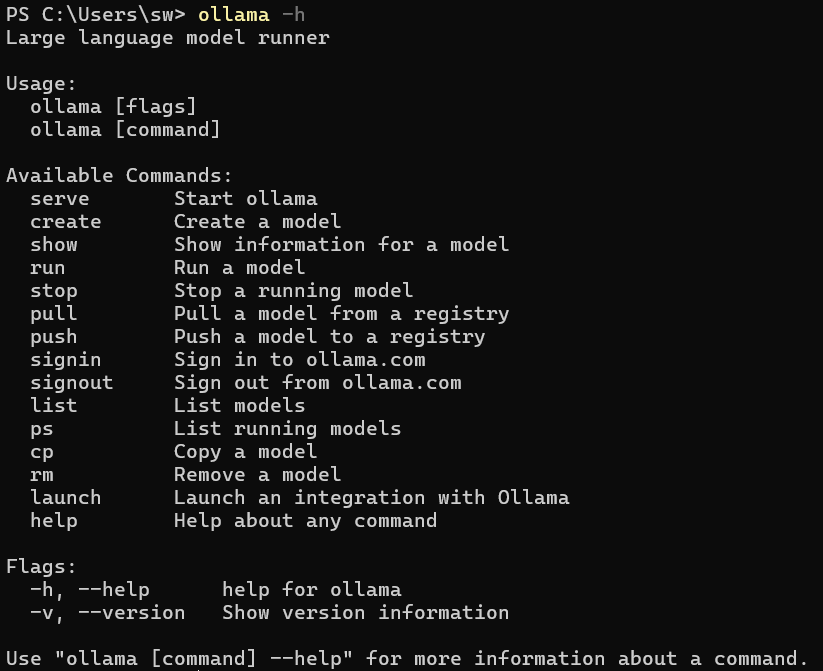
2) 모델 설치
ollama run llama3.2
3) 모델 정보 보기
ollama show llama3.2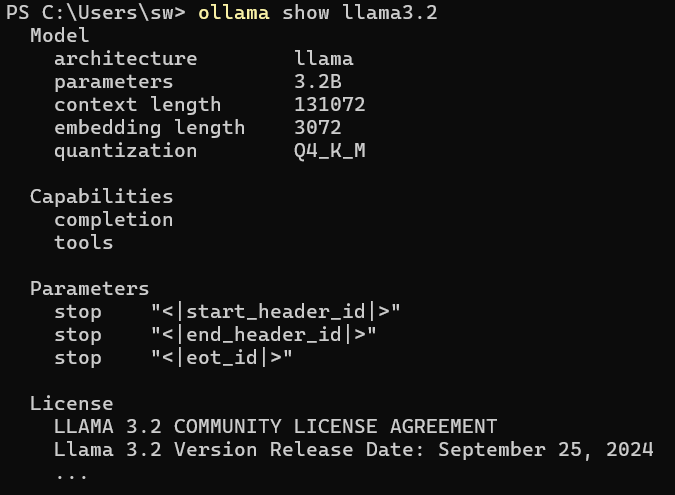
4) 브라우즈에서 서비스 보기
http://localhost:11434/
5) Rest로 호출하기
Invoke-RestMethod http://localhost:11434/api/generate `
   -Method Post `
   -ContentType "application/json" `
   -Body '{
     "model": "llama3",
     "prompt": "Explain ESP32 UART"
   }'

'Software > 기타' 카테고리의 다른 글
| 인공지능 시작하기 - Grok (0) | 2026.02.08 |
|---|---|
| Ollama vs LM Studio 지원모델 (0) | 2026.01.29 |
| 인공지능 시작하기 - Ollama 설치하기 (0) | 2026.01.28 |
| Open Neural Network Exchange (0) | 2026.01.28 |
| MS Windows 부팅설정 변경 (0) | 2025.11.24 |