
이번 시간에 WASM에 대해서 알아보자.
1) 아래 사이트의 설명에 따라서 컴파일러 설치한다.
https://emscripten.org/docs/getting_started/downloads.html
Download and install — Emscripten 4.0.24-git (dev) documentation
In the description above, we asked the emsdk to install and activate latest, which is the latest tagged release. That is often what you want. Note When installing old versions from before the build infrastructure rewrite (anything before 1.38.33), you need
emscripten.org
2) 폴더를 생성하고 그 밑에 아래 코드를 hello.c로 만든다.
#include <stdio.h>

int main() {
    printf("Hello World\n");
    return 0;
}
3) 아래 명령어로 컴파일한다.
emcc hello.c -o hello.html
4) WASM 실행시 주의사항
html 바로 실행하며 실행이 안되니 웹서버(여기서 파이션 http.server)를 사용해야한다.
python -m http.server 8080
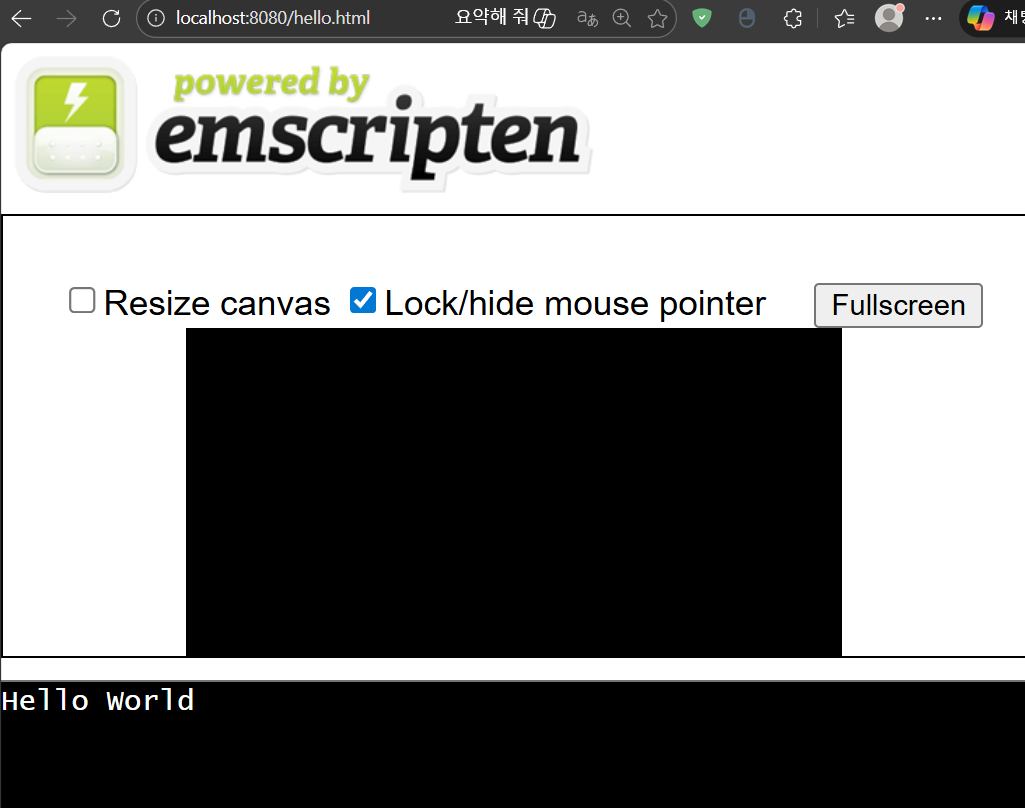
5) 브라우즈에서 열기
'Software > C' 카테고리의 다른 글
| WASM (WebAssembly) 기초 (0) | 2026.05.24 |
|---|---|
| C 시작하기 - 병렬 프로그래밍 (4) | 2024.08.15 |
| C 시작하기 - 소켓통신 (0) | 2024.08.07 |
| C 시작하기 - 라이브러리 (0) | 2024.08.06 |
| C 시작하기 - OpenCV 함수 4 (0) | 2024.08.06 |